color palette
#000000
#929292
#c0df44
#929292
CellForeground
CellBackground
#000000
#f6000e
#da630d
#8dee0b
#c0df44
#a6eb5d
#b1e95f
#80e31c
#9bd46a
#ff777d
#6bb5ea
#98d450
#c2dd47
#b1e563
#ffffff
#929292
preview
readme
Citrus-Cynapse
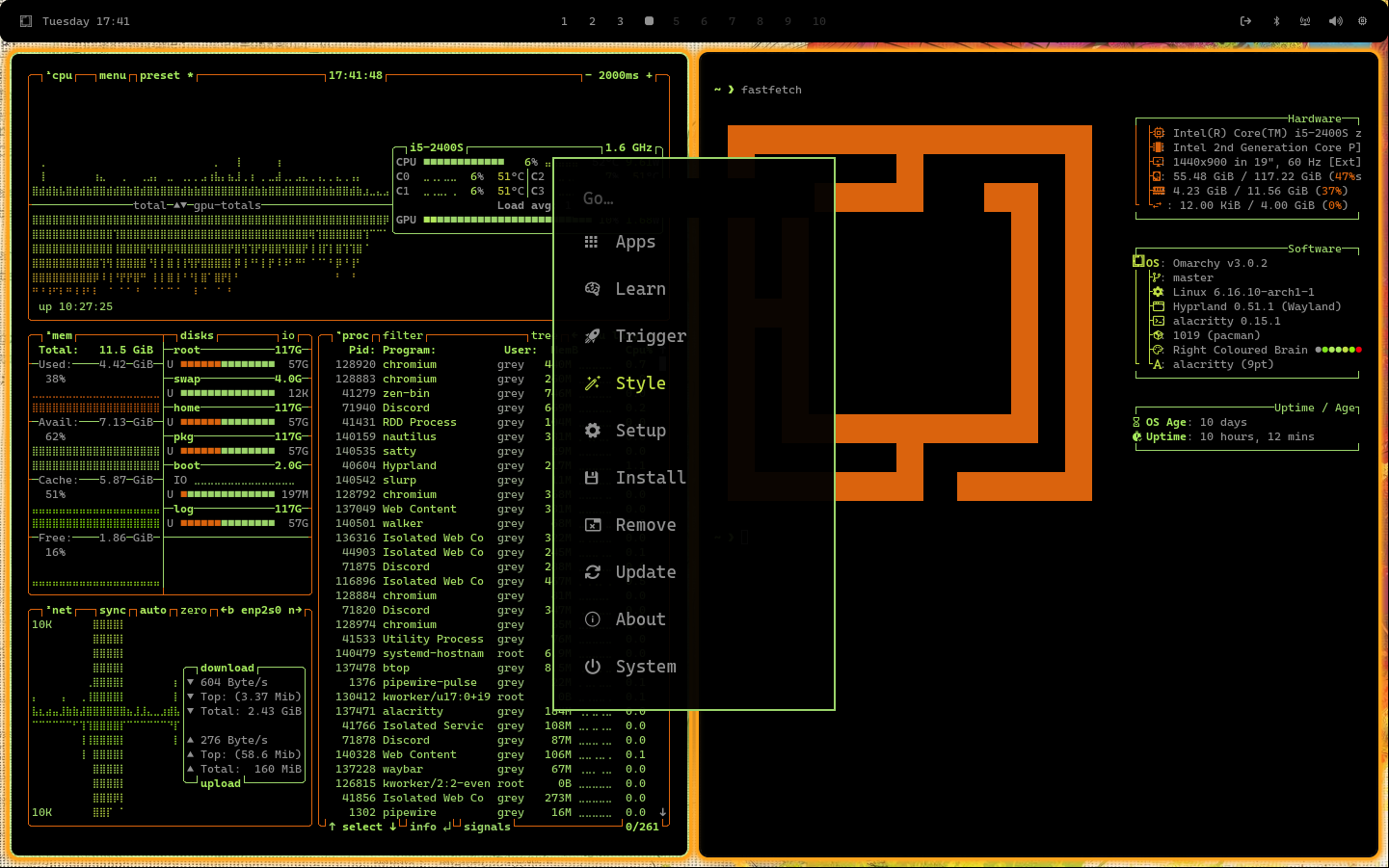
A fresh, citrus-inspired theme for Omarchy / Hyprland that blends vibrant greens, yellows, and teals to bring an energetic yet harmonious look to your Wayland desktop.
🍊 Preview
Included Components
This repository bundles configuration files and style snippets for a variety of Wayland apps and UI elements:
backgrounds/— wallpapers / background images that match the themealacritty.toml— Alacritty terminal configurationbtop.theme— theme file for btopchromium.theme— Chromium / browser UI themingghostty.conf— Ghostty terminal confighyprland.conf— Hyprland configurationhyprlock.conf— lockscreen configurationicons.theme— icon theme settingskitty.conf— Kitty terminal configurationmako.ini— Mako (notification daemon) stylingneovim.lua— Neovim editor customization (colorscheme, etc.)swayosd.css— style for SwayOSD / on-screen displaywalker.css— widget / panel stylingwaybar.css— Waybar bar / panel stylingwofi.css— Wofi launcher theming
You can use all of these to obtain a unified aesthetic, or mix & match pieces depending on your preferences.
✨ Features
- Vibrant citrus palette that balances energy and readability
- Consistent look across UI components: bar, notifications, lockscreen, launcher
- Modular — use only what you want, customize the rest
- Lightweight — no heavy dependencies, just style files and configs
Requirements
Before applying this theme, ensure you have:
- A working Wayland environment (Hyprland or compatible)
- The following applications / components installed (or equivalents):
- Hyprland (or Omarchy)
- Wofi (launcher)
- Waybar (status / panel)
- Mako (notification daemon)
- Kitty or Alacritty terminals
- Neovim (optional, for the editor config)
⚡ Installation
Install via Omarchy (Recommended)
- Copy the repository URL:
https://github.com/Grey-007/citrus-cynapse- Open the Omarchy menu (
Super + Alt + Space) - Navigate to
Install → Style → Theme - Paste the URL and press Enter
- Wait for the installation to complete
- Apply the theme via the Omarchy menu
Acknowledgements
Thanks to Aether by Bjarne Øverli for the foundational theme tooling in Omarchy / Hyprland Inspiration from various community-driven Wayland theme projects
About Omarchy
Omarchy is an opinionated Hyprland / Arch Linux setup designed to simplify Linux ricing by providing curated defaults, theming tools, and modular configuration.
Hope you enjoy Citrus‑Cynapse — may your desktop feel fresh, bright, and cohesive! 🌱