color palette
#122738
#ffffff
#ffc600
preview
readme
Cobalt2 Theme for Omarchy
This is the Cobalt2 Theme for Omarchy.org, providing a vibrant, developer-focused configuration set for your Linux desktop environment.
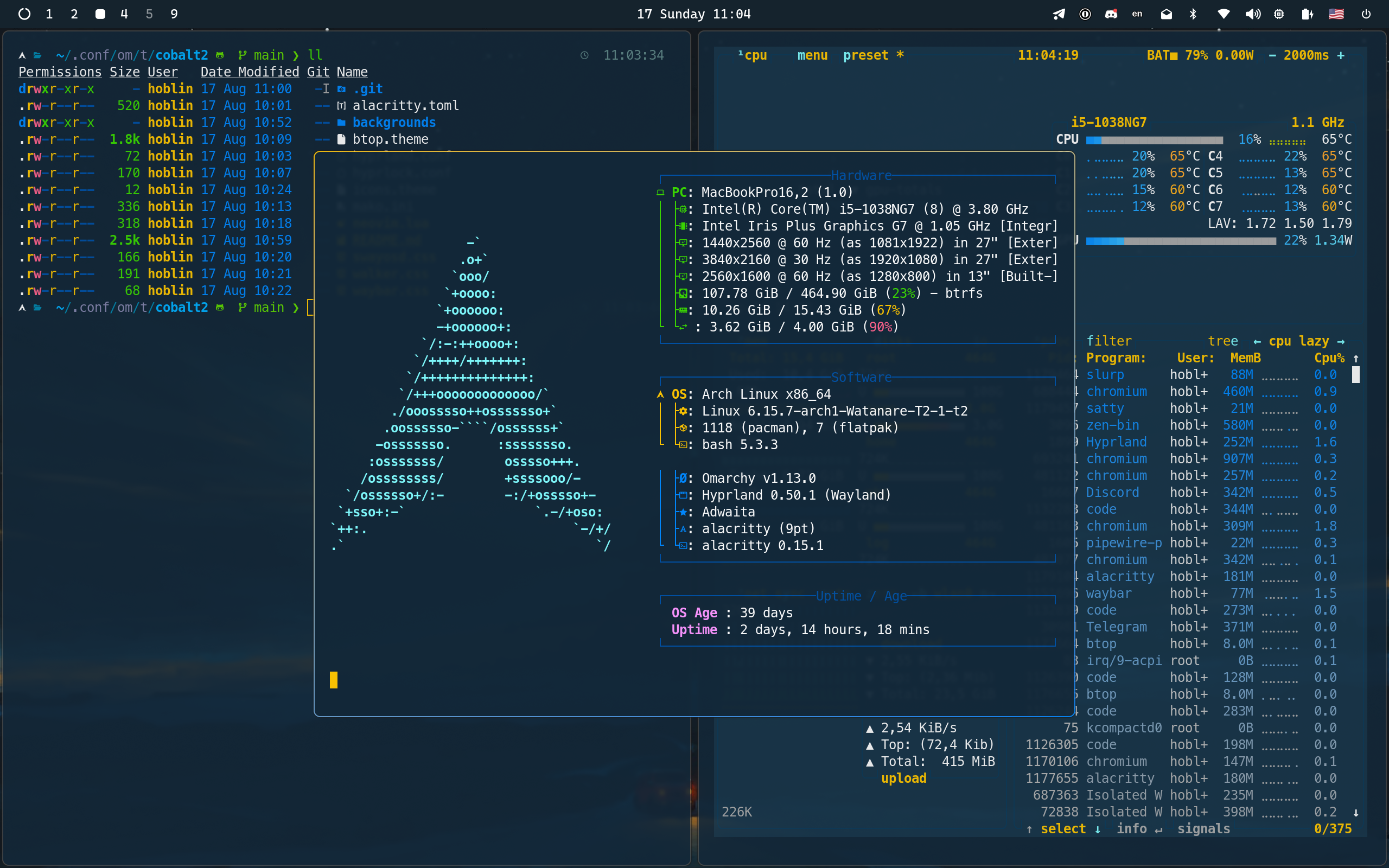
Deep blue depths where code comes alive,
Golden highlights make syntax thrive.
In shadows of cobalt, thoughts take flight—
Where darkness meets brilliance, day turns to night.
The coder's canvas, both bold and true,
Where yellow sparks dance in oceans of blue.
Compatibility
Version 2 requires Omarchy 4 (Quattro) or newer.
On Omarchy 3.x, use the v1 tag:
git clone --branch v1 https://github.com/hoblin/omarchy-cobalt2-theme ~/.config/omarchy/themes/cobalt2Installation
omarchy theme install https://github.com/hoblin/omarchy-cobalt2-themeOr from the Omarchy menu (Super + Space): Install > Style > Theme, then paste the repository URL.
Once installed, pick "Cobalt2" under Style > Theme.
What's Included
- Palette (
colors.toml) — terminals, Hyprland, the Omarchy shell, btop, helix, Chromium, Neovim, VS Code, Obsidian and the rest are generated from it. - Active-window gradient — yellow-to-blue border on the focused window and on the shell's notifications, menus, lock and polkit dialogs.
- btop (
btop.theme) - Obsidian (
obsidian.css) - Chromium (
chromium.theme) - Icons (
icons.theme) — Yaru-blue. - Boot screen (
unlock.png) — Plymouth unlock art, applied from Style > Unlock. - Backgrounds
Hand-written Alacritty, Ghostty, Kitty, Neovim (cobalt2.nvim) and VS Code (Cobalt2 extension) files apply only when the theme directory is your own clone rather than one installed by omarchy theme install:
git clone https://github.com/hoblin/omarchy-cobalt2-theme ~/Work/omarchy-cobalt2-theme
ln -s ~/Work/omarchy-cobalt2-theme ~/.config/omarchy/themes/cobalt2
Theme Colors
- Background:
#122738(Deep Blue) - Lighter Background:
#193549(Cobalt Blue) - Accent:
#ffc600(Bright Yellow/Gold) - Selection:
#0050a4(Cobalt) - Text:
#ffffff(Pure White)
Credits
This theme is inspired by the iconic Cobalt2 theme originally created by Wes Bos for VSCode. The Neovim integration uses the cobalt2.nvim plugin. Background wallpapers are sourced from the curated collection at dharmx/walls.
Created with ❤️ by hoblin for the Omarchy community.
License
This theme is open-source and available under the MIT License.