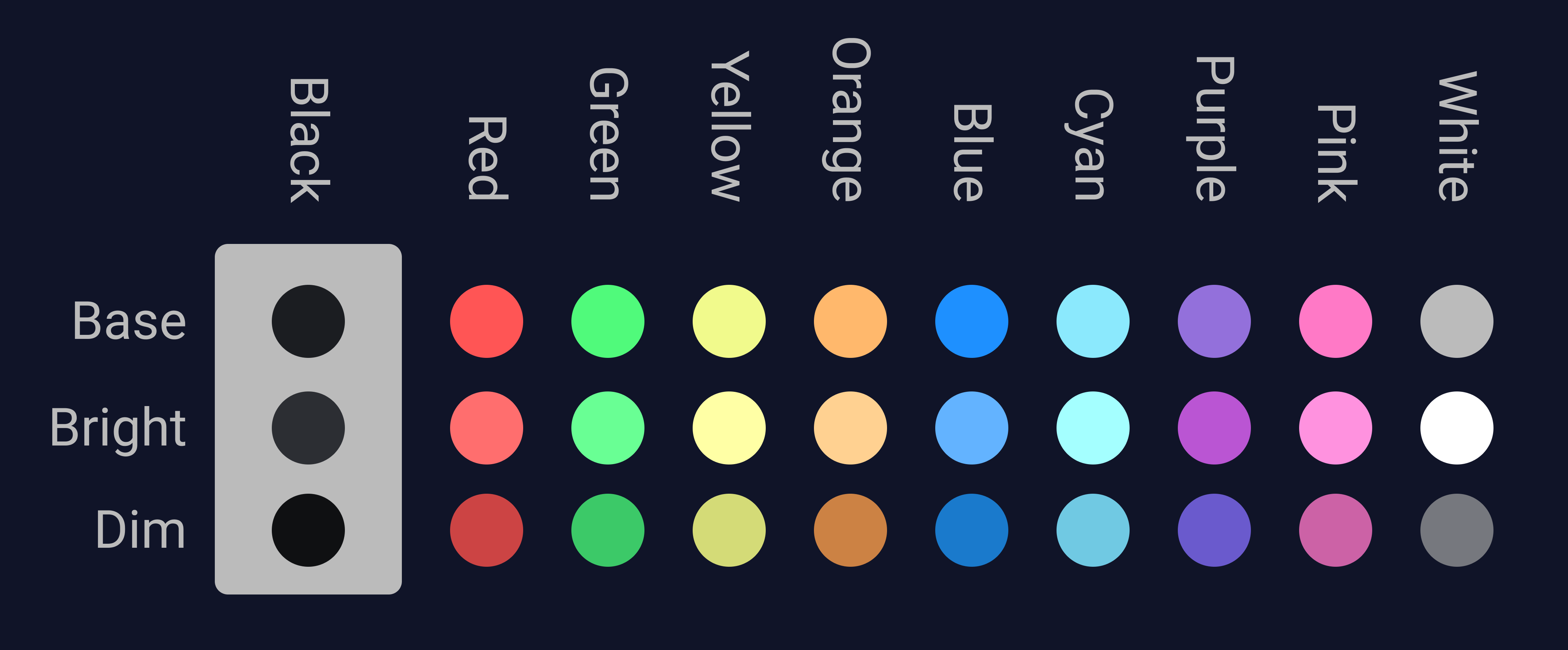
color palette
#101428
#f2f4f8
#50FA7B
#1E90FF
#1B1D21
#FF5555
#1E90FF
#F1FA8C
#50FA7B
#FF79C6
#8BE9FD
#BBBBBB
#555555
#FF6E6E
#63B3FF
#FFFFA5
#69FF94
#FF92DF
#A4FFFF
#FFFFFF
preview
readme
🐉 Omarchy Drac Theme
“Where calm meets power — forged in shades of blue.”





🌌 About the Theme
Omarchy Drac is the Blue Dragon of the Omarchy realm — a deep, balanced theme built around harmony, focus, and elegant energy.
It fuses modern minimalism with mythic design to create a seamless visual and coding experience across your entire Linux setup.
The fonts — Roboto and Roboto Mono — give the Drac theme a modern, balanced tone that matches its calm yet powerful aesthetic.
This repository contains the configurations and styles that bring the Drac theme to life across multiple applications.
⚙️ Included Configurations
- 🐧 Hyprland – Window manager setup
- 🧭 Waybar – Status bar styling
- 🔒 Hyprlock – Lock screen aesthetics
- 🐈⬛ Kitty – Feature rich terminal
- 🧩 Ghostty – Terminal look and feel
- 🦇 Alacritty – Fast terminal with Drac colors
- 🎛️ Btop – System monitor with themed palette
- 🧠 Neovim – Custom Drac config (see below)
- 🔔 Mako – Notification daemon theme
- 🗂️ Folder Icons – Unified folder visuals
- 💡 SwayOSD – On-screen display styling
- ⚡ Walker – Launcher interface
Other tools and themes like Cava, Thunar, GTK theme, Yazi, RMPD and more are part of the same design vision.
If you’re interested in these or want to extend the Drac theme to your setup — contact me.
🧙♂️ Design Philosophy
The Drac Theme embodies the Blue Dragon — calm yet powerful.
Every shade, shadow, and glow was chosen to represent:
- Serenity in work.
- Depth in creation.
- Precision in focus.
It’s not just a theme — it’s a presence across your desktop.
📸 Previews
Colorscheme Preview
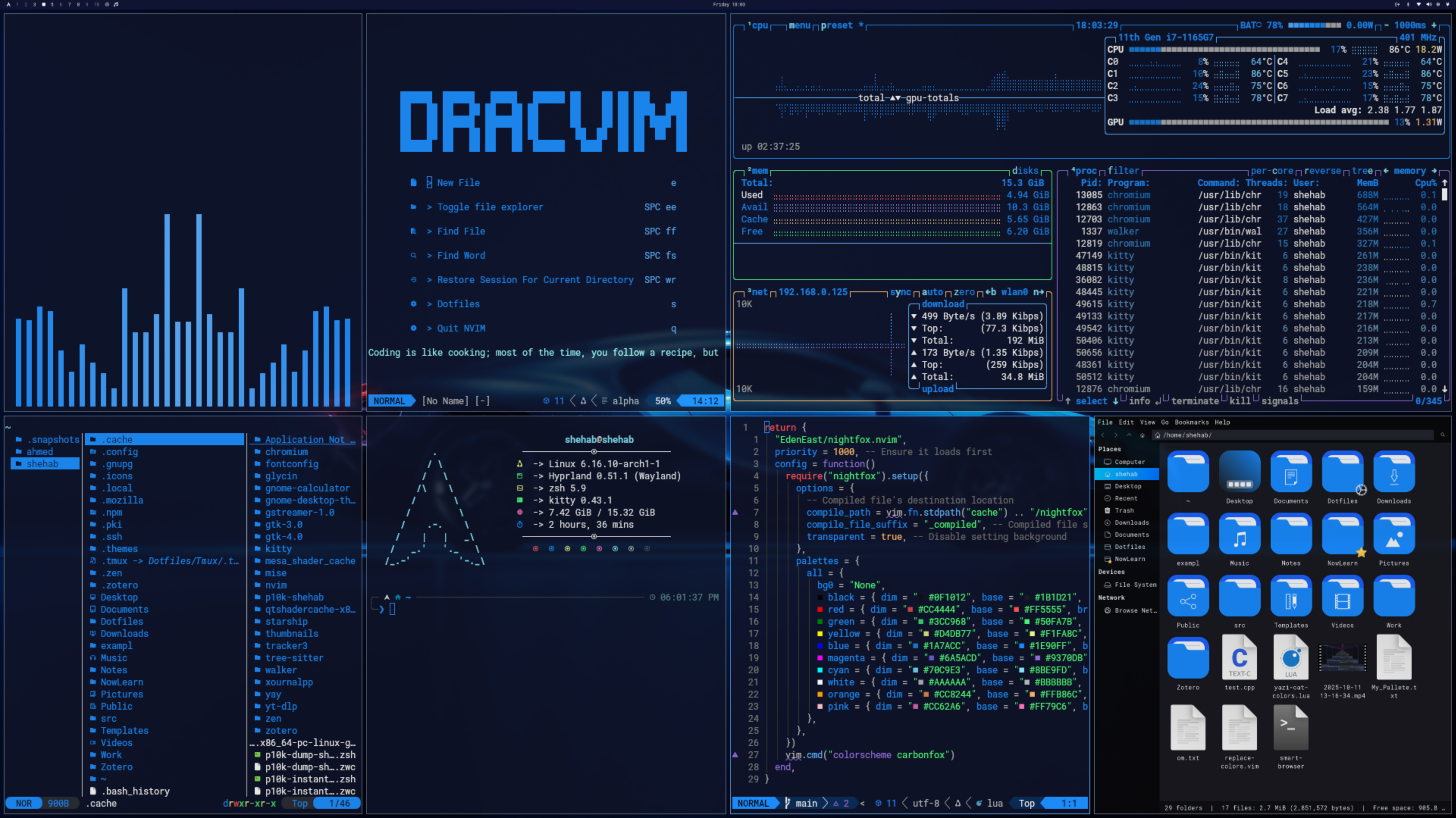
 Theme Preview
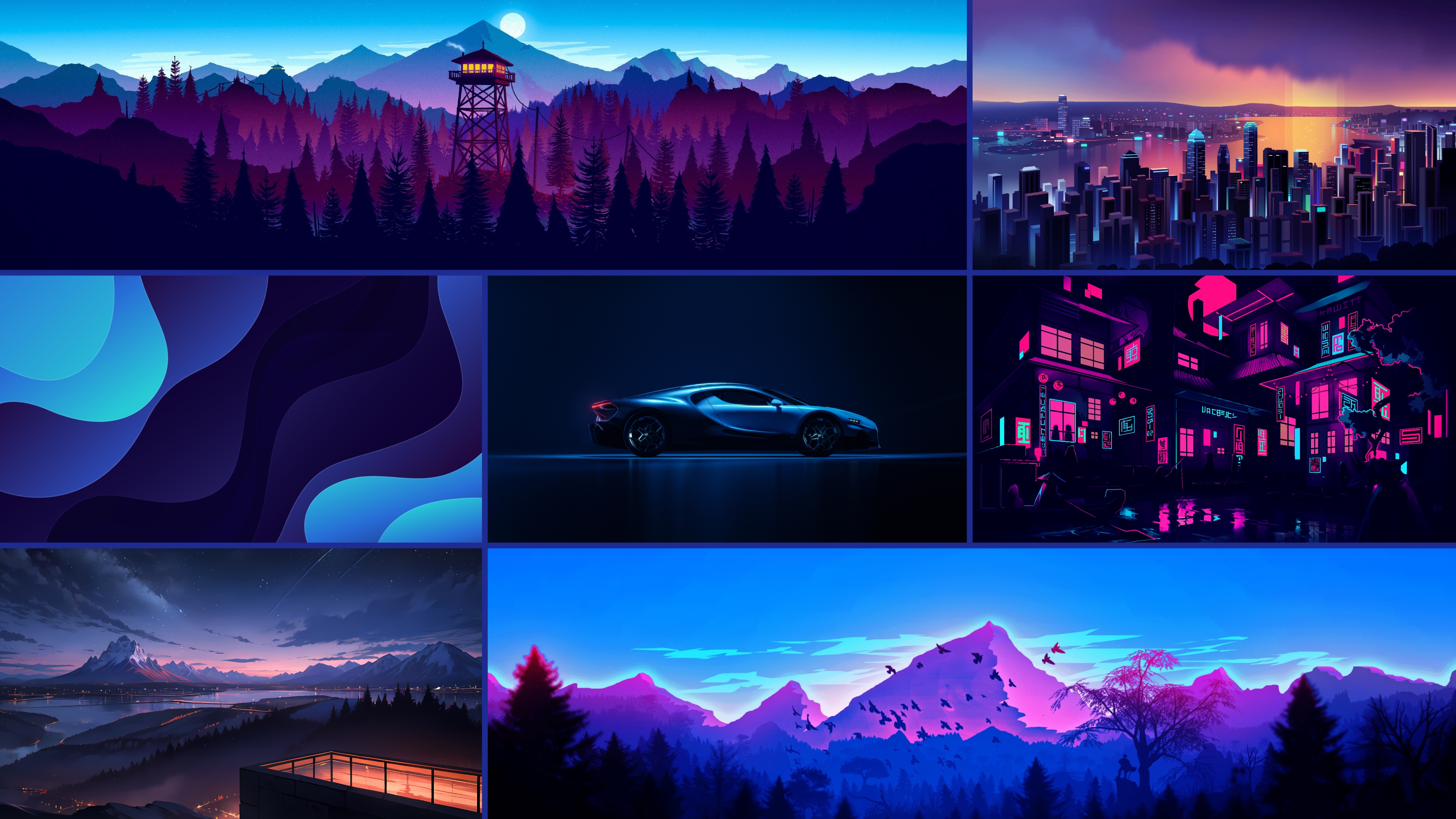
Backgrounds Preview
🧩 Custom Components
🧠 Neovim
I used the EdenEast/nightfox.nvim theme, However, I changed the colors' value to my colorscheme.
🖼️ GTK Theme
I use a group of packages for my theme:
- 🖱️ cursor - Sweet Cursors
- 📁 Folder Icons - Reversal Blue Dark
- 💻 GTK Theme - Sweet Ambar Blue Dark v40
Note: These are not included in this repo.
The GTK setup here uses Yaru-Blue.
Feel free to contact me if you’d like details or help setting them up.
🪄 Installation
Run this command in your terminal:
omarchy-theme-install https://github.com/ShehabShaef/omarchy-drac-theme🧭 Contact & Collaboration
If you have:
- 💬 Questions about integrating the theme
- 🧩 Requests for additional Drac-compatible configs
- 🐾 Interest in other dotfiles or Omarchy themes
Feel free to reach out or open an issue.
Let’s grow the Omarchy world together. 🐉
⚔️ License (MIT)
Open-source, but crafted with purpose. If you remix or build upon this, please credit Omarchy and link back to this repository.
“From calm waters, wisdom flows — From blue light, creation grows.” 🌊
Part of the Omarchy Theme Series 🜂
Crafted with ⚙️, 🎨, and 🐉 by Shehab Shaef