color palette
#1c1b19
#f0e4c5
#d4bd99
#f0e4c5
#706e6b
#f0e4c5
#1c1b19
#c5564a
#a89984
#ebdbb2
#908d88
#afa499
#d4bd99
#fbf1c7
#6b655c
#d94e38
#c2a571
#f7df97
#aaa090
#cbae8e
#e7c07c
#fff8e8
preview
readme
Mecha no Onna [V2] (メカの女)
A full re-work of Mecha no Onna — see the original base branch (V1).
What's new in V2: the palette was rebuilt from the muted-warm originals into a stronger, harmonised set — elevated normal colors plus a coherent bright tier (no more clashing gruvbox brights), on a deeper neutral background. On top of that, a consistent frosted-glass / blur layer runs across the whole desktop: terminal, on-screen display (SwayOSD), notifications (Mako), the launcher (Walker) and GTK apps — all tuned to the same warm palette. VS Code gets an exact, auto-generated Omarchy color theme, and every app config (foot / kitty / ghostty, Zed, btop, cava, Steam, Zen, Heroic, Vencord, …) is color-synced.
The goal: a cohesive cyber-samurai aesthetic where tradition meets circuitry — warm amber tones behind a layer of soft glass.
Prefer the original solid look? Install the V1 base branch.
Installation
V2 (this branch, default) — simply use the omarchy-theme-install command:
omarchy-theme-install https://github.com/HANCORE-linux/omarchy-mechanoonna-theme.gitVS Code: after install, open Preferences: Color Theme (
Ctrl+K Ctrl+T) and pick Omarchy — the theme is auto-generated by the Theme-Hook-Manager and just needs selecting once.
Screenshot
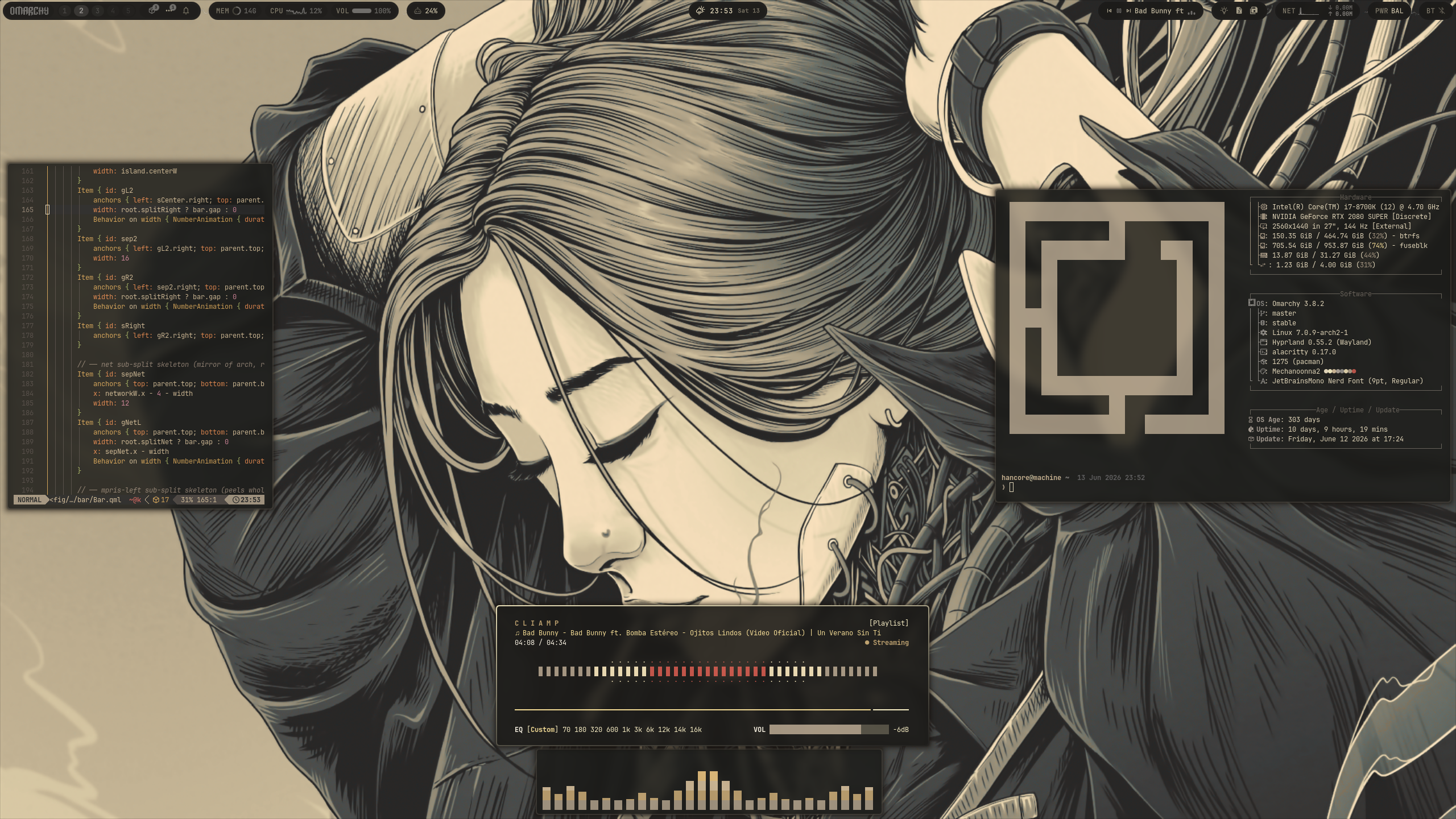
Demo
https://github.com/user-attachments/assets/53d7342e-2952-4b70-889b-9420a8c2c807
Backgrounds
Waybar
Theme-Hook-Manager
Acknowledgments
This theme was created using Aether by @bjarneo.
License
MIT