color palette
preview
readme
Omarchy Retro Fallout Theme
Vault-Tec approved: A post-apocalyptic glow-up for your Omarchy desktop. Dive into the irradiated charm of Fallout with rusty reds, glowing greens, and vault-door vibes. This theme turns your Linux rig into a survivor’s bunker, perfect for coding through the nuclear winter or just nuking your productivity (in a good way).
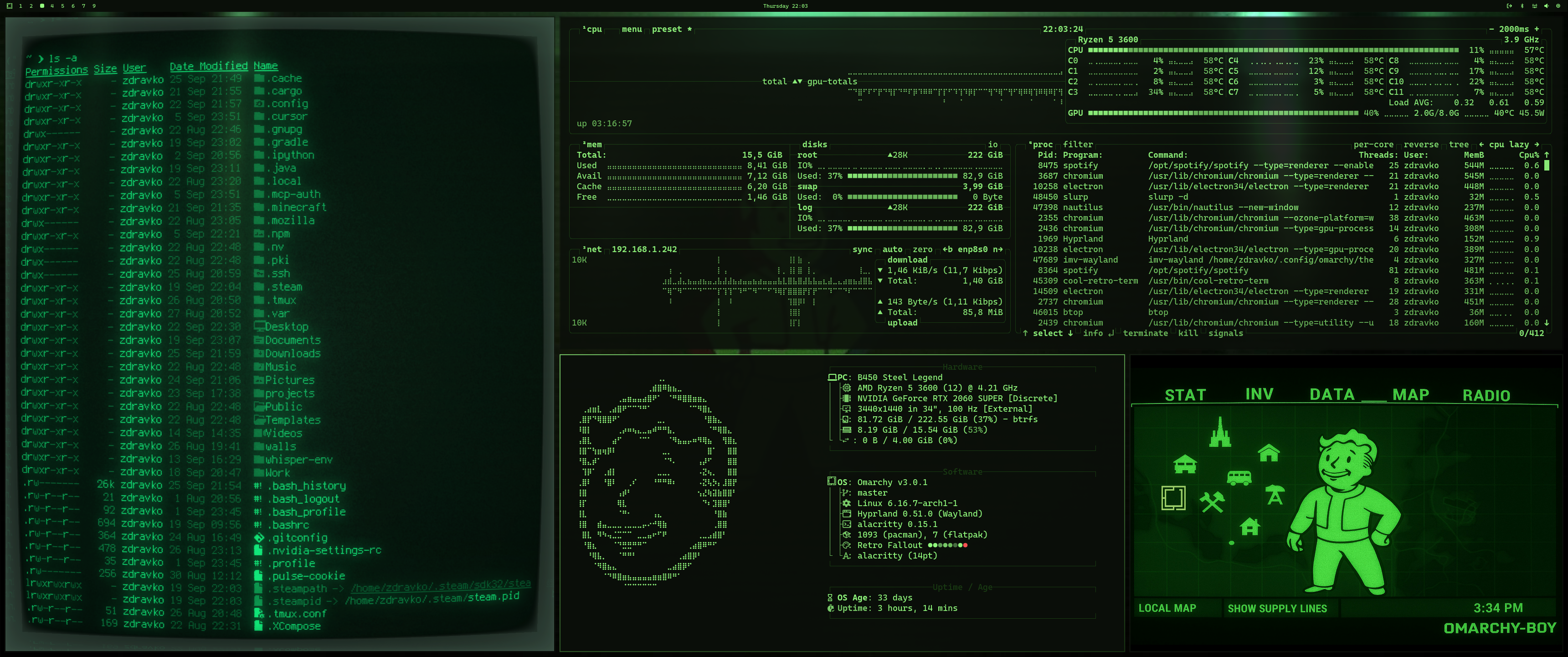
Full desktop in full apocalypse mode. (ultrawide)
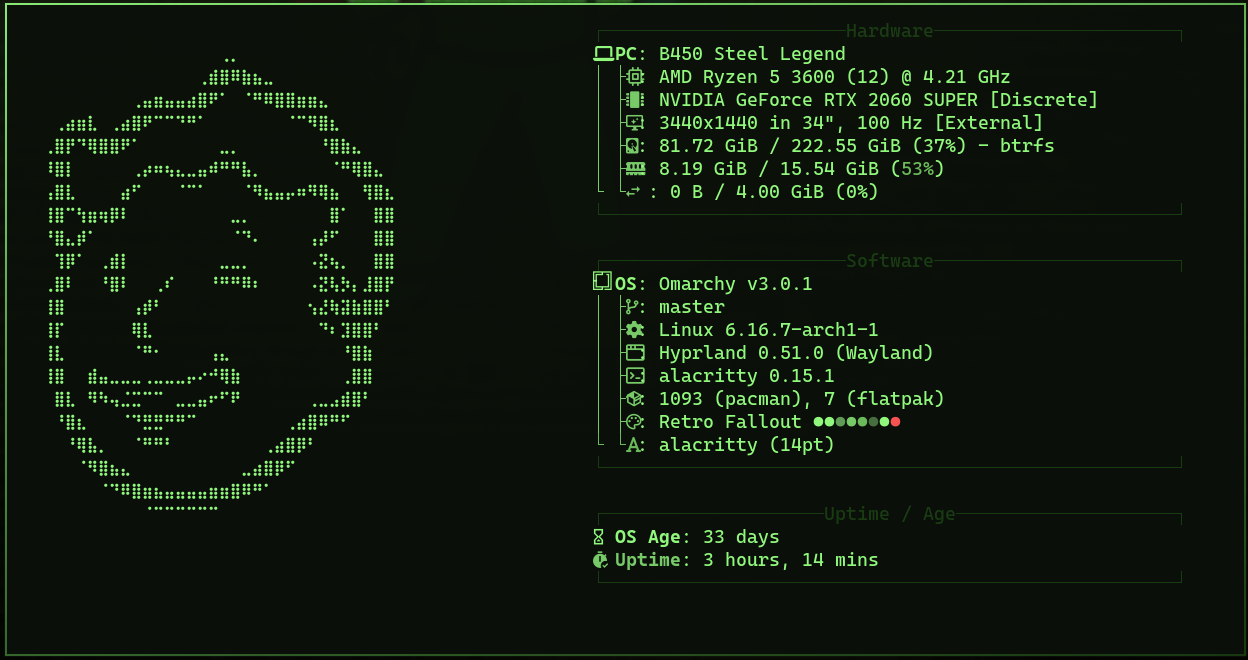
Fastfetch fetching those wasteland stats.
Notes
- Fastfetch Config: Drop-in
config.jsoncfor wasteland-ready system info. Copy it to~/.config/fastfetch/and watch your stats load like a holotape. - ASCII Art: The
about.txtfile packs custom Fallout-flavored ASCII—paste it into your welcome screen or MOTD for instant immersion.
🛠️ Installation
Omarchy makes this a breeze:
To install this theme, simply use the omarchy-theme-install command:
omarchy-theme-install https://github.com/zdravkodanailov7/omarchy-retro-fallout-theme
OR
- Open the Omarchy menu (Super + Alt + Space).
- Go to Install > Style > Theme.
- Paste this repo URL:
https://github.com/zdravkodanailov7/omarchy-retro-fallout-theme - Hit Enter.
For the extras:
- Fastfetch:
cp config.jsonc ~/.config/fastfetch/config.jsoncandcp about.txt ~/.config/omarchy/branding/about.txt. Thenfastfetchto test.
The Origin Story: From X Banter to Bunker Build
This theme? Born from a chaotic X thread that spiraled faster than a Deathclaw on Jet. It all kicked off when I geeked out over a retro terminal tip from @Ron_Dilley, yelling "Fallout vibes!" @sm_salmaan nailed it. Ron reposted, tempting @iamdothash to theme-ify it. Next thing: "I NEED a retro Fallout theme for my new @FrameworkPuter desktop!" Cue high-res maps, Omarchy logos, and me whispering, "something may be in the works..."
Check the full fallout (pun intended): The Spark on X
Huge thanks to Ron for the first wallpaper, Bjarne for the temptation, and the Omarchy community for the opportunity. This is build-in-public at its irradiated best.
🤝 Contribute & Connect
Star it, fork it, PR mods. Share pics on X and tag @zdanailov7 me if you want haha
War never changes... but your desktop can. Welcome to Omarchy: The Final Desktop.