color palette
background
#121111
foreground
#dcfce7
accent
#93c5fd
cursor
#eaeaea
selection background
#3e3e3e
color0
#222222
color1
#D35F5F
color2
#4ade7f
color3
#d4953b
color4
#93c5fd
color5
#a78bfa
color6
#86efab
color7
#b4b4b4
color8
#6b6b6b
color9
#df6969
color10
#86efab
color11
#dfb265
color12
#bfdbfe
color13
#c4b5fd
color14
#bbf7d0
color15
#dcfce7
preview
~/temerald
┌──────────────────────Hardware──────────────────────┐
PC: omarchy-host
│ ├: x86_64 (8 cores) @ 4.00 GHz
│ ├: Integrated Graphics
│ ├: 1920x1080 @ 60 Hz
│ ├: 120 / 500 GiB (24%)
│ ├: 8 / 16 GiB (50%)
└ └ : 0 / 4 GiB (0%)
└────────────────────────────────────────────────────┘
┌──────────────────────Software──────────────────────┐
OS: Omarchy 3.6.0
│ ├: master
│ ├: stable
│ ├: linux-arch
│ ├: Hyprland (Wayland)
│ ├: ghostty
│ ├: 1024 (pacman)
│ ├: Temerald ●●●●●●●●
└ └: JetBrainsMono Nerd Font (9pt)
└────────────────────────────────────────────────────┘
┌─────────────────Age / Uptime / Update───────────────┐
OS Age: 0 days
Uptime: 2 hours, 13 mins
Update: Today
└────────────────────────────────────────────────────┘
user@omarchy:~ $
readme
Omarchy Temerald Theme
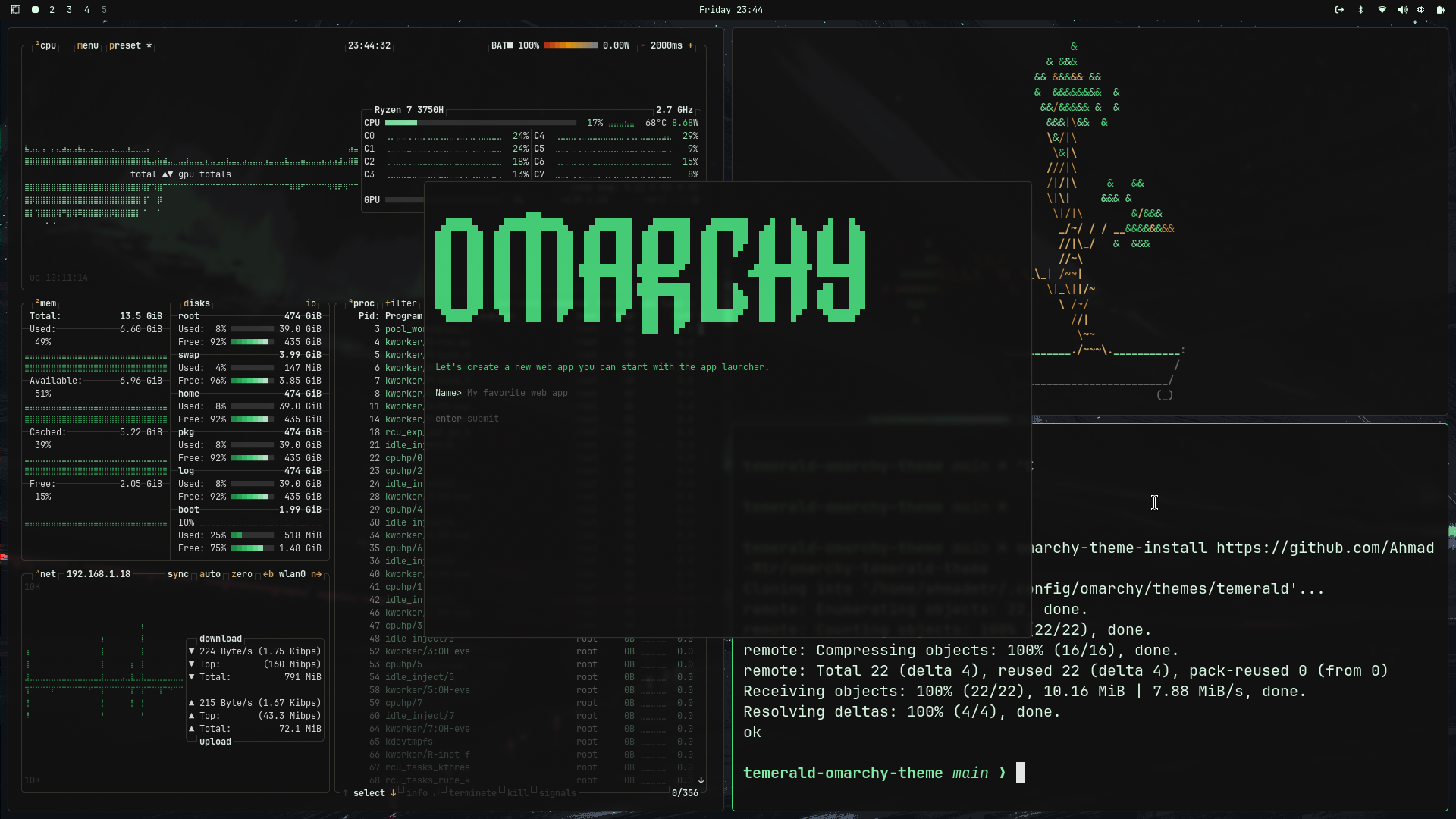
TODOS
- use lutgen to create more bgs
- Preview
- complete other terminals UI
- finish vscode theme
- include color palette + desc
- finish nvim theme
- customize waybar
Installation
To install on Omarchy:
omarchy-theme-install https://github.com/Ahmad-Mtr/omarchy-temerald-themeWallpapers
- psst, I have a personal wallpapers repo that has both Temerald & Catppuccin wallpapers, almost all edited with Lutgen
- I've included only 5 Walls in
backgrounds/, add more on your own - Hald clut image is included, incase you want to edit other images to use Temerald, instructions below
Make your own Wallpapers
- requires lutgen installed
lutgen apply --hald-clut temerald-hald-clut-v2.png <list-of-wallpapers-to-be-edited>Included configs
- Teminals (Alacritty, Ghostty, Kitty)
- btop (btop.theme)
- Hyprland (hyprland.conf, hyprlock.conf)
- Mako (mako.ini)
- Neovim (neovim.lua)
note: using temporarily Poimanders theme - Vscode (vscode.json)
note: same as neovim - Waybar (waybar.css)
- Wofi (wofi.css)
- Walker (walker.css)
- SwayOSD (swayosd.css)
Credits
Customized the Theme via Omarchist
Took some Inspiration from Poimanders
Modifying Wallpapers to match theme with lutgen
License
MIT