color palette
#1b1b1b
#d1d0c5
#2d3e4e
#c5d977
#c5d977
#1b1b1b
#1b1b1b
#9e3b26
#7da453
#c7a036
#2d3e4e
#7a6a5e
#c5d977
#e6e6e6
#2a2a2a
#c75c36
#8bcf69
#e0b456
#3e5468
#9b897c
#d9e6a8
#ffffff
preview
readme
Omarchy Wasteland Theme
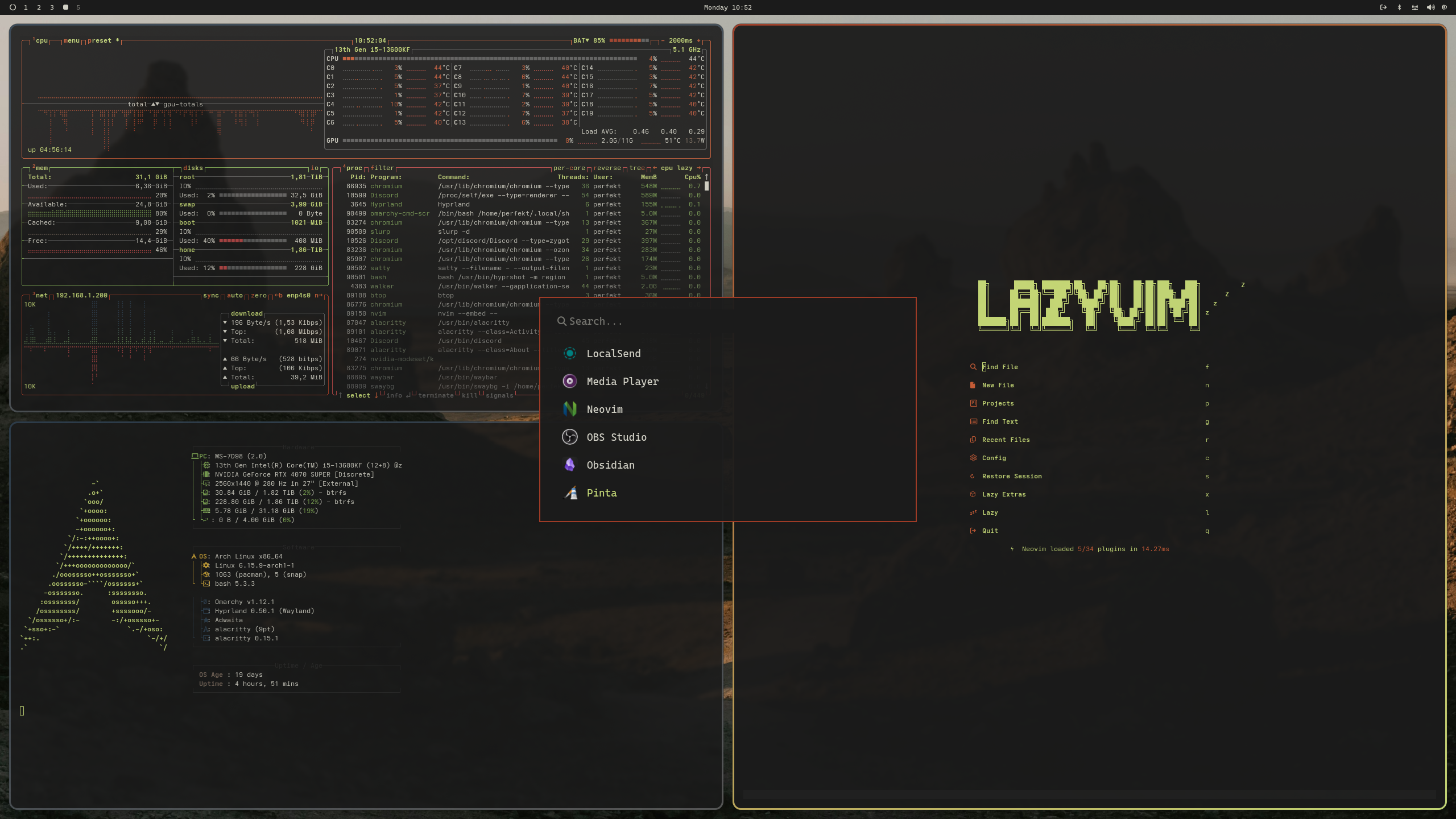
A post-apocalyptic dark theme for Omarchy that embraces the beauty of digital decay. Experience the perfect blend of rust, ash, and radioactive glow across your entire desktop environment.
Features
- Cohesive Design - Unified color scheme across all Omarchy components
- Complete Coverage - Themes Hyprland, Waybar, Walker, Neovim, and more
- Rich Palette - Rust reds, burnt oranges, and radioactive glow greens
- Standalone Neovim Theme - Can be used independently via wasteland.nvim
- Curated Backgrounds - Post-apocalyptic imagery that complements the theme
Installation
Quick Install (Recommended)
omarchy-theme-install https://github.com/perfektnacht/omarchy-wasteland-themeManual Installation
- Clone the repository:
git clone https://github.com/perfektnacht/omarchy-wasteland-theme ~/.config/omarchy/themes/wasteland- Switch to the theme using the Omarchy menu:
- Press
Super + Alt + Space - Select
Style > Theme - Choose "Wasteland"
- Press
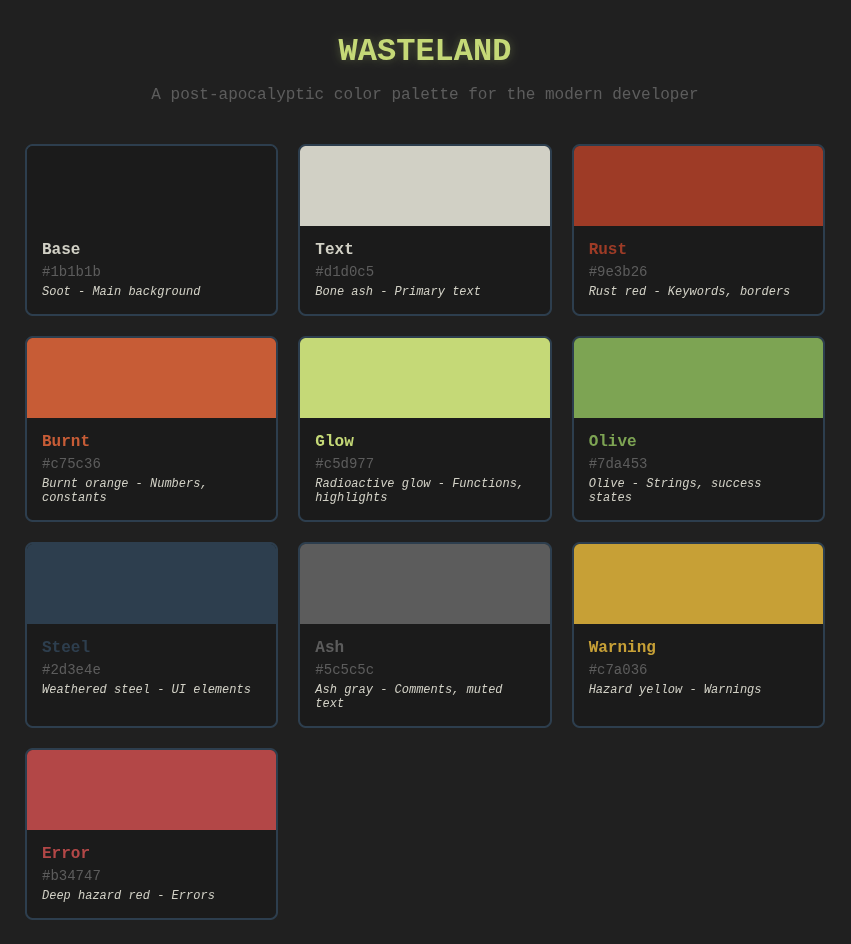
Color Palette
| Color | Hex | Usage |
|---|---|---|
| Base | #1b1b1b | Soot - Main background |
| Text | #d1d0c5 | Bone ash - Primary text |
| Rust | #9e3b26 | Rust red - Keywords, borders |
| Burnt | #c75c36 | Burnt orange - Numbers, constants |
| Glow | #c5d977 | Radioactive glow - Functions, highlights |
| Olive | #7da453 | Olive - Strings, success states |
| Steel | #2d3e4e | Weathered steel - UI elements |
| Ash | #5c5c5c | Ash gray - Comments, muted text |
What's Included
This theme provides configurations for:
- Hyprland (
hyprland.conf) - Window manager with gradient borders - Waybar (
waybar.css) - Status bar with consistent coloring - Walker (
walker.css) - Application launcher styling - Neovim (
neovim.lua) - Editor theme via wasteland.nvim - Mako (
mako.ini) - Notification styling - Hyprlock (
hyprlock.conf) - Lock screen theme - SwayOSD (
swayosd.css) - On-screen display styling - Backgrounds - Curated post-apocalyptic wallpapers
- Chromium - Extended theme to chromium browser
Backgrounds
The theme includes carefully selected backgrounds that complement the Wasteland aesthetic. All images are properly credited and sourced from talented photographers.
Current Backgrounds:
- Desert Landscape by Ben Granados
- Wasteland Vista by Ling Hua
Standalone Neovim Theme
The Neovim component of this theme is also available as a standalone plugin:
wasteland.nvim - Use the Wasteland color scheme in any Neovim setup, not just Omarchy.
Switching Themes
To switch between themes in Omarchy:
- Via Menu:
Super + Alt + Space→Style→Theme - Via Hotkey:
Super + Ctrl + Shift + Space - Via Terminal: Use the Omarchy theme switcher commands
Customization
Feel free to modify any configuration files to suit your preferences. The theme is designed to be easily customizable while maintaining visual consistency.
Key Files:
hyprland.conf- Window borders and workspace stylingwaybar.css- Status bar colors and layoutwalker.css- Application launcher appearanceneovim.lua- Editor theme configuration
Issues & Contributions
Found a bug or want to contribute? Please open an issue or pull request on GitHub. Contributions are welcome!
License
This theme is released under the MIT License. Feel free to use, modify, and distribute.
Credits
- Background Images:
- Ben Granados via Unsplash
- Ling Hua via Unsplash
- Clay Banks via Unsplash
- Inspiration: Post-apocalyptic aesthetics from Fallout, Mad Max, and digital decay art
- Framework: Built for Omarchy by DHH
Embrace the wasteland. Code in style.